Most of the work people do on a computer still passes through a browser window, even when the actual job is elsewhere. Tabs accumulate around a half-finished form, a CRM record, a support ticket, a signed-in dashboard that cannot be reached through a clean API.
Moving that context into another tool has usually meant copying text, describing a page, or starting over in a separate session that does not know who you already are.
That gap is what a wave of standalone AI browsers tried to close, and for OpenAI, it was Atlas.
The dedicated browser was built so agents could look at pages, click through them, and keep state. It lasted less than a year. Atlas is scheduled to stop working in August 2026, with bookmarks and open tabs left for users to export themselves.
The company has said the experiment taught it more about how people want agents to work on the open web than it did about replacing Chrome.
Those pieces are now being folded into the ChatGPT desktop app and into an extension that lives inside browsers people already use.
First off, Computer Use is the broader capability behind that shift.
In the desktop app, ChatGPT can look at a graphical interface on macOS or Windows, click, type, and move between apps when a structured plugin is not enough. Browser work is one slice of that.
There is a built-in browser inside the app for isolated sessions for localhost, public sites, a clean profile.
There is also an extension path for the opposite case: the tabs, cookies, and logins already sitting in a daily driver.
Until recently that extension path was effectively Chrome-only.
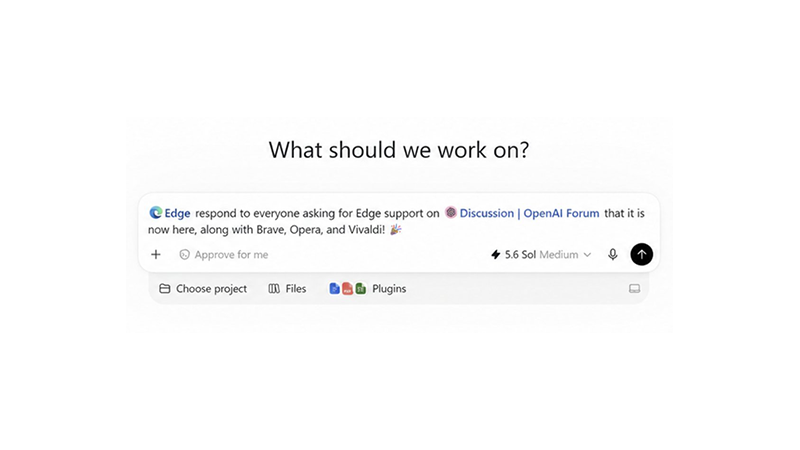
Edge arrived first under a "More browsers" heading in Settings. Then, in late August 2026, support expanded to Brave, Opera, and Vivaldi as well.
The official documentation now lists five major browsers for tab mentions and remote control from the desktop app: Chrome, Edge, Brave, Opera, and Vivaldi.
Using the extension, ChatGPT can read or act on sites where the user is already signed in, like Gmail, Salesforce, LinkedIn, internal tools, simply because it is working inside that existing profile rather than a sandboxed one.
At thsi time at least, Chrome, Edge, Brave, and Vivaldi also get a side chat inside the tab, and Opera does not yet.
Tasks for Opera start in the desktop app instead.
Availability can still depend on rollout and workspace settings. Firefox is not on the official list, though community ports exist.
Setup sits in the same place as other Computer Use controls. After updating the desktop app, a user opens Settings, then Computer Use, expands More browsers if needed, and installs the extension for the chosen browser.
A toggle decides whether that browser appears in the @-mention menu. Once it does, a Work or Codex chat can name the browser directly (@Edge, @Brave Browser, @Opera, @Vivaldi) and point at an open tab.
The examples in the docs are ordinary office work: open Salesforce and update an account from call notes, cancel a subscription, enter data that already lives in another tab.
The distinction between the built-in browser and the extension is practical rather than ideological.
The built-in browser keeps its own state and can wait while someone signs in.
The extension is for the session that already exists, like saved passwords, other extensions, the half-dozen tabs that constitute the actual task.
Permissions still apply. ChatGPT asks before using a site unless it has already been allowed.
Screen recording and accessibility grants on macOS, a visible target window on Windows, and the usual caution around sending or submitting data remain part of the loop. Treat page content as untrusted context, the docs say, and review the proposed action before letting it proceed.
None of this removes the browser as the place where work happens. It only changes how much of that work has to be narrated by hand.


