People who keep dozens of browser tabs open for research, shopping, or work often end up copying details between them by hand.
On October 15, OpenAI posted a series of updates from its ChatGPT account describing changes to how the service interacts with those tabs in Chrome and other Chromium browsers.
The company said it is bringing computer use capabilities to anyone who uses Chrome through its existing browser extension.
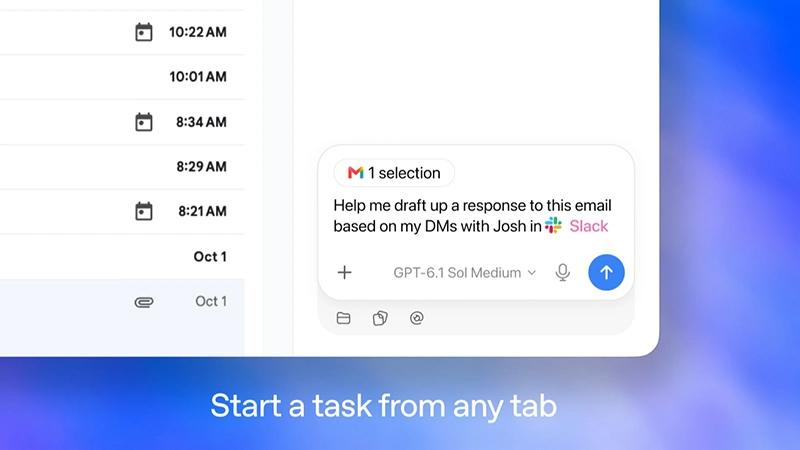
In Chat mode, the assistant can look across open tabs and gather information to make responses more relevant.
In Work mode, which handles longer tasks, it can control those tabs to complete actions such as sending messages, filling out forms, or downloading files.
It can also organize and group tabs. OpenAI listed sample requests that illustrate the approach, including comparing product pages open in separate tabs by dimensions, material, delivery times, and return policies, or using details from an event brief to complete a registration form while stopping short of submitting it.
The updates rely on the ChatGPT extension, which the Chrome Web Store lists at seven million users and which received version 1.26.1005.11759 on the same day.
The extension lets ChatGPT on the desktop and web pull context from tabs and take actions in them, drawing on installed plugins, full conversation history, and a local file system connection when one is available.
It operates in the background rather than taking over the active session, and it requests permission before referencing browsing history or handling file downloads and uploads.
Beyond tab comparison and control, the listing describes uses that include research on live and authenticated sites, creating or editing documents, spreadsheets, and slides, data entry into systems such as timesheets or content management tools, summarizing any open tab, filing expenses, bulk downloads of files or images, website testing, and tab cleanup.
A related change upgrades the experience of using ChatGPT inside a browser tab.
Users now have access to the full set of ChatGPT capabilities and their entire conversation history in a side panel while remaining on a page.
Side chat is available in Chrome, Edge, Brave, and Vivaldi, with tab mentions and browser control supported across those browsers plus Opera.
Features include highlighting text on a page to bring it into a conversation, right-clicking to open a chat with page context, and querying YouTube videos using timestamped transcripts when captions exist.
According to OpenAI, setup can be done through the ChatGPT desktop app under Settings for Computer Use, after which the browser can be invoked with an at-mention in a Work or Codex chat.
The extension is available for all ChatGPT plans.
These steps follow the earlier retirement of OpenAI's standalone Atlas browser, which stopped operating on August 9 after the company directed users toward capabilities in the desktop app and the extension instead.
Similar tab-aware assistance has appeared in other tools, including Google's Gemini features in Chrome. The practical effect for users is that an existing browser profile, with its signed-in sessions and open tabs, becomes a direct source of context and a place where multi-step tasks can run under explicit permission prompts.
Read: After Atlas, OpenAI Puts ChatGPT Into Extensions for the Browsers People Already Use






















































































































































































































































































