As generative AI tools become standard components of everyday digital workflows, the boundaries surrounding data security and user anonymity continue to evolve.
Early implementations of conversational AI models relied heavily on centralized cloud storage, where user prompts and model responses were logged to refine algorithms or maintain session states.
Over time, as users began leveraging these systems for complex personal and professional tasks, the demand for mechanisms that allow collaborative sharing without compromising underlying user data has grown significantly.
Modern digital privacy frameworks are increasingly moving toward localized processing and zero-knowledge architectures.
In this context, passing an AI chat to someone else has usually meant copying the text, taking a screenshot, or turning on a share link and hoping the page stays where it was put.
Over the past year, some of those links from other services have turned up in search results, sometimes with names and personal details still in the thread.
DuckDuckGo says it looked at those cases before adding sharing to Duck.ai.
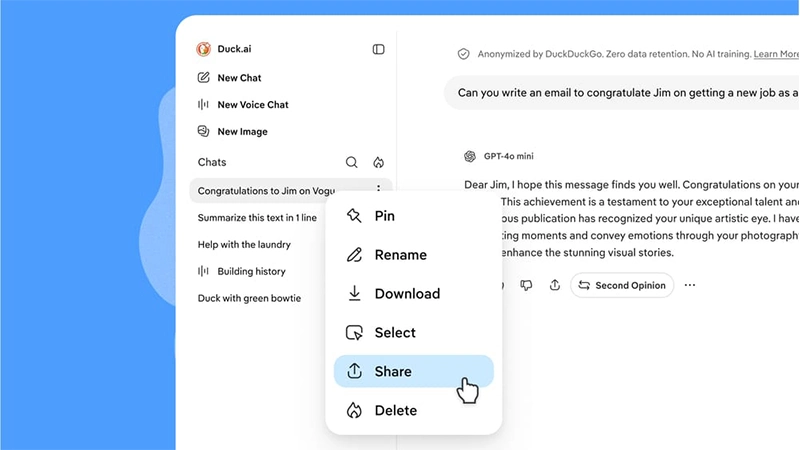
According to the announcement, the feature allows users to use chat at Duck.ai, and use the share icon under a response to send that single reply or the conversation up to that point.
A full thread can also be shared from the three-dot menu beside it in the chat list, under Share, then Create Share Link.
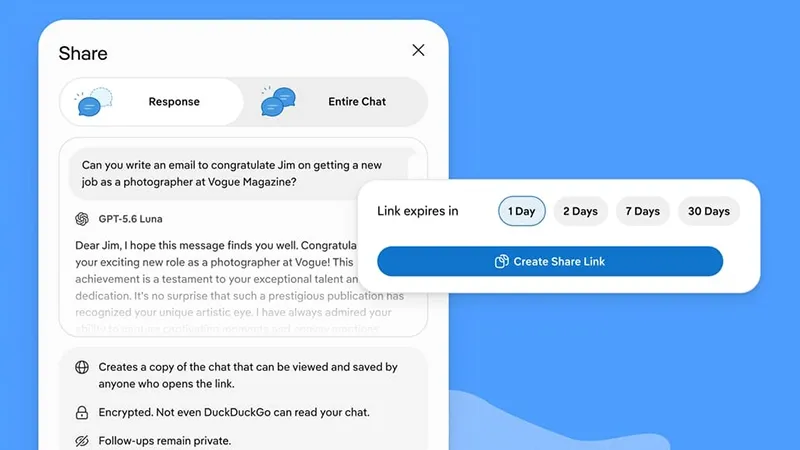
The person who opens the link can read it, continue it, or save it into their own Duck.ai chats, and they do not need an account. Follow-ups they add stay on their side. Follow-ups the original user adds later stay on theirs.
Images the model generated are included. Files the user uploaded are not, though the help pages note that prompts and replies can still refer to what was in those files, and that generated files remain visible.
The privacy claim rests on where the decryption key lives.
DuckDuckGo says the chat is encrypted on the device before it is uploaded.
The link has two parts: an identifier that tells the servers which encrypted blob to fetch, and a key placed in the URL fragment after the hash. Browsers generally do not send that fragment to the server, so the company says the key does not arrive in requests, telemetry, or error logs. It also says it tested that path.
On this account, DuckDuckGo stores ciphertext and cannot read the chat. The links are long and random, there is no setting that makes a share discoverable, and each share page carries instructions not to be indexed, both in the page and in the server response.
Expiration is the other control.
The default is 48 hours.
A user can set a link to 1, 2, 7, or 30 days, and can delete it sooner from Settings, then Shared Chats. The Fire Button clears shared links along with chats. Once a link expires or is deleted, DuckDuckGo says the encrypted copy is removed from its servers. A copy someone already saved is not.
The company states the limit directly: after another person has read the chat, nothing in the product stops them from saving it outside Duck.ai, forwarding it, or writing it down.
The suggested use is a direct send, a short window, and deletion after the recipient has it.
Sharing is optional, in line with Duck.ai's other AI features, which can be hidden in search or browser settings. The help pages currently say chat sharing is unavailable in the UK.
Ordinary Duck.ai chats are a separate path: by default they stay on the device, requests to model providers are proxied so those providers do not see the user’s IP address, and DuckDuckGo says those providers agree not to train on the chats and to delete prompts and replies after generating a response.
A share is the exception that puts an encrypted copy on DuckDuckGo’s servers for as long as the link lasts.






















































































































































































































































































