For years, the technology world accepted a core dogma from Cupertino that laptops and touchscreens simply did not mix.
Historically, Apple publicly resisted putting touchscreens on MacBooks for several key reasons, spanning ergonomics, user interface design, and product strategy.
Steve Jobs famously called touchscreen laptops "ergonomically terrible" during an Apple event in 2010, highlighting the muscle fatigue caused by holding a hand up to a vertical screen for extended periods, a phenomenon long known in human factors engineering as gorilla arm.
Apple maintained that touch surfaces should be strictly horizontal, like trackpads or iPads lying flat or held in hand, while laptops are naturally optimized for hands resting comfortably on a palm rest.
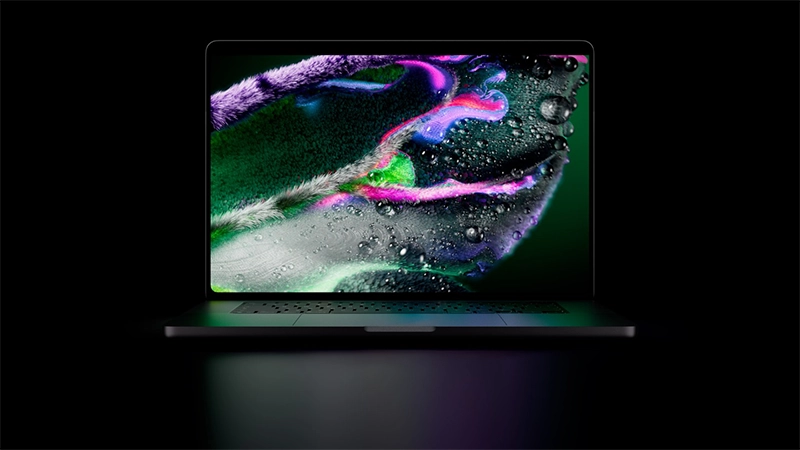
But now, things have changed. Apple finally reveals the "terrible" MacBook with a touchscreen.
With it, Apple literally breaks the mold it spent decades carefully constructing, fundamentally redefining what it means to interact with a Mac.
The newly announced MacBook Pro lineup brings direct touch capabilities to high-end hardware configurations without sacrificing traditional computing performance.
- Display: Features a revolutionary tandem OLED panel known as the PROLED XDR display, boasting up to 2,000 nits of peak brightness, a 10,000,000:1 contrast ratio, and a variable refresh rate ranging from 10Hz to 120Hz.
- Sizes: Available in both 14-inch and 16-inch form factors.
- Processors: Powered by high-performance M5 Pro or M5 Max silicon chips.
- Design Additions: Replaces the traditional camera notch with a functional Dynamic Island cutout and brings back the nostalgic glowing Apple logo on the lid.
- Connectivity and Ports: Equipped with three Thunderbolt 5 ports, an HDMI port, an SDXC card slot, a headphone jack, and MagSafe charging.
- Pricing and Availability: Pre-orders are currently open, with official retail shipping scheduled to begin on November 6. Pricing starts at $2,899 for the 14-inch model and $3,399 for the 16-inch model.
This release marks a massive turning point for personal computing.
This is because since the very beginning, macOS was built from the ground up for precise, fine-grained input using a mouse or trackpad, featuring small buttons, drop-down menus, window controls, and close icons.
Making macOS touch friendly would have required scaling up interface elements, enlarging buttons, and rethinking basic navigation, effectively altering macOS or forcing a hybrid UI that could compromise both traditional mouse and direct touch experiences.
Product strategy also played a defining role in this resistance. Apple deliberately maintained a clear boundary between the Mac and the iPad lineup.
Tim Cook famously dismissed hybrid two-in-one touchscreen devices as trying to combine a toaster and a refrigerator, arguing that merging them would lead to compromises on both ends.
Apple preferred users to buy an iPad for direct touch interactions like drawing, scrolling, and casual browsing, while keeping the Mac reserved for heavy keyboard and trackpad productivity.
Hardware and engineering hurdles further delayed any transition. Traditional laptop display hinges often wobble when tapped with a finger, creating an annoying user experience. Adding digitizer touch layers to laptop displays previously meant adding extra weight, thickness, screen glare, and display latency, which Apple felt compromised the primary display quality.
While Apple long held this stance, experimenting only with horizontal touch input via the Touch Bar in 2016, the technological landscape evolved significantly. Apple transitioned to ultra-thin OLED panel displays, reinforced hinge designs, and unified Apple Silicon chips across both iPads and Macs.
Executives like Tim Cook and hardware chief John Ternus ultimately championed a change, recognizing that an entire generation of users now views touch interaction as a fundamental computing baseline.
Internal design purists may have resisted, but engineering advancements finally caught up to the vision, allowing Apple to introduce touch functionality to high-end MacBook models as an optional, secondary input method alongside the primary keyboard and trackpad.
By solving long-standing ergonomic and hardware challenges through advanced display layers and refined hinges, Apple has successfully bridged the gap between traditional desktop productivity and fluid touch navigation, proving that even the most deeply entrenched product philosophies can evolve.






















































































































































































































































































