Most of the time spent making AI video is not spent on the take that ships. It goes into checking whether the scene holds, whether the camera move is the one you meant, whether the dialogue and sound sit on the action, and whether the subject is doing the right thing at the right moment.
Those checks used to cost nearly as much as a finished shot, because the model was asked to produce delivery resolution on every attempt.
A prompt that looked sound on paper could still fail in motion, and each failure burned the same budget as a keepable clip.Seedance 2.5 now splits that work.
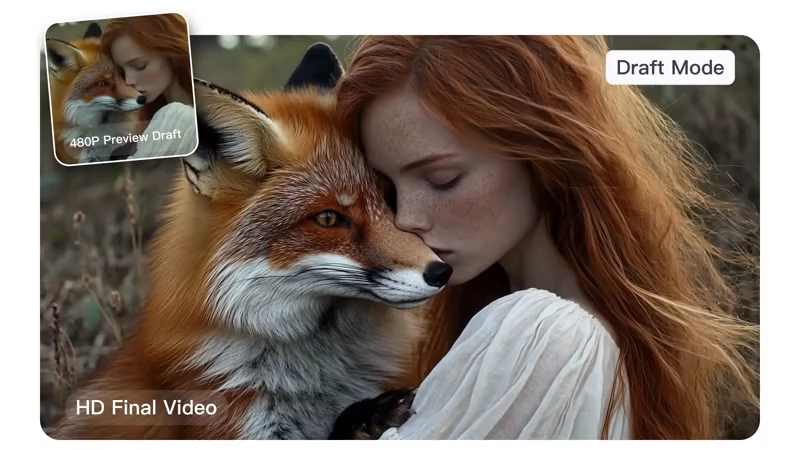
Official 'Draft mode,' launched on the Seedance 2.5 API through Volcano Engine on September 22 and available to creators in Jimeng as Seedance 2.5 sample mode, lets a first pass run at 480P.
That pass is meant for judgment rather than delivery.
You look at composition, subject motion, camera rhythm, dialogue, and effects, then decide whether the idea is worth finishing.
When a sample is worth keeping, the same generation is sent back as 1080P using the sample's ID.
The model reuses the original prompt, reference materials, seed, aspect ratio, and duration, then runs a second inference under those constraints so the high resolution version stays close to the sample in structure, framing, and movement.
That second pass is not an upscale of the 480P file. It is a native 1080P render tied to the sample.
Official descriptions note that local texture, small text, dense crowds, and similar fine detail can still shift, while the shot architecture confirmed in the preview is meant to hold.
The distinction matters in practice.
A cheap low resolution test that you later rerun from scratch can drift. A sample that carries its seed and inputs forward is meant to keep the same shot, then spend the extra compute on clarity, light, and surface detail.
The first places to expose that path were the first party surfaces.
Volcano Engine turned it on for API jobs by setting draft to true, then finalizing from the returned sample ID. Jimeng put the same workflow in the model picker. BytePlus followed on the international API side and pointed enterprise users at the Seedance 2.5 console.
Within a day, third party tools that already carried the model began posting support.
Pika said Draft mode was live on its app and API Club. Magnific described a 480P explore step with a later 1080P regenerate of the keeper.
Runway added it the day after that, as a faster 480P draft in Tools that can be enhanced to 1080P within seven days.
Artlist documented the same two step path: generate the 480P preview, then render that exact draft to 1080P from the asset card.
Dreamina users also began testing the preview workflow as the official sample mode spread.The useful loop is the same on each of those surfaces, even if the button names differ.
Generate several 480P samples while the brief is still moving. Compare camera height, pacing, and how references are being read. Change the prompt or swap a still when something is off. Only the sample that survives that review goes to 1080P.
For a studio pipeline, this means notes can sit on a visible clip instead of on a written description.
For a single creator it means you can try more directions in the same session without treating every experiment as a finished asset.
Sharing a sample before the expensive pass is often the whole point, whether the review happens inside Jimeng, an API queue, or a host like Runway, Pika, Magnific, or Artlist.Cost and time follow from how many attempts a shot usually needs.
Volcano Engine’s example is a 5 second 1080P clip with no input video. If four generations are required before one is acceptable, Draft mode is described as cutting cost by about 57% and nearly doubling overall generation speed. If 20 attempts are needed, the stated saving rises to about 77%.
Harder shots and longer review loops benefit more, because the expensive work is delayed until a sample is chosen.
The official framing is that the more a shot has to be redrawn, the more the two stage path pays for itself.
There are limits worth keeping in view. A sample is not a locked master. Small elements can still change when the 1080P pass runs. The mode also does not remove the need for a clear prompt or usable references. It only moves the expensive confirmation later in the process.
Availability can lag by product surface.
The API and Jimeng had it first. Pika, Magnific, Runway, and Artlist were among the earliest hosts to say the same draft to final link was live rather than a plain 480P generate with no tied upgrade.
Either way, the point is the same: use the low cost pass to decide what the shot is, then spend the high cost pass on the version you already accepted.Used this way, Draft mode does not change what Seedance 2.5 can generate.
It changes when you pay full price for it, and it gives the later render a fixed reference instead of a new roll of the dice. The feature is most helpful where iteration is the real job, which is most production work that is not a single lucky first take.






















































































































































































































































































